AutoClip: Open-Source AI Clip Generator That Turns One Link Into 10 Short Videos
📌 Key Takeaways (TL;DR)
- A two-hour interview may contain only ten minutes worth publishing. Before AutoClip, that imbalance had two practical answers: stay up and cut the material yourself, or pay…
- On November 7, 2026, the open-source AI video tool drew attention with roughly 9k GitHub stars. Its positioning is unusually clear: it is free, open source, and runs locall…
A two-hour interview may contain only ten minutes worth publishing. Before AutoClip, that imbalance had two practical answers: stay up and cut the material yourself, or pay someone to do the work. AutoClip targets that exact bottleneck. Instead of asking a creator to open an editor and rebuild the same interview clip by clip, it turns one linked source into a batch of finished short videos, along with the supporting assets needed to distribute them.
On November 7, 2026, the open-source AI video tool drew attention with roughly 9k GitHub stars. Its positioning is unusually clear: it is free, open source, and runs locally. That combination matters for more than cost. It changes the workflow from “send an unpublished interview to a clipping service” to “run a local production tool on a machine where the files already are.”
The useful question is not whether AutoClip can make a spectacular montage. It is which repetitive production steps disappear from the operator’s desk. The supplied workflow answers that directly: paste a link, pick a platform, and press once. AutoClip handles clipping, reframing, and subtitles, then delivers the video, cover art, and publish copy together.
What AutoClip Actually Automates
From one link to a complete short-video package
AutoClip compresses a multi-stage editing process into a short operational sequence. The operator supplies the source link, selects a platform, and starts the run. There is no separate requirement in the described workflow to open an editor, locate several moments manually, prepare every crop, type every subtitle, and then commission separate cover art and promotional text. The tool is designed to produce those outputs as one batch rather than as disconnected tasks.
- Clipping: AutoClip handles the clipping stage and produces short sections from the linked source instead of requiring a manual cut for every segment.
- Reframing: Reframing is part of the automatic run. The release validation explicitly includes person reframing and person detection, so this is a tested part of the packaged workflow rather than an afterthought.
- Subtitles: Subtitles are generated and incorporated without a separate subtitling session. Chinese font availability is treated as a release-blocking requirement, not optional polish.
- Distribution assets: The run does not stop with a collection of rendered videos. AutoClip also delivers cover art and publish copy, giving the operator a more complete short-form publishing package.
Why generating 10 clips changes the economics
AutoClip generates 10 finished Douyin/Xiaohongshu-style clips in one run. That number is the central operational advantage. Producing one short video from a long interview is already laborious; producing ten creates enough editing overhead to discourage creators from repurposing the source consistently. A single-run batch makes the work repeatable and is particularly suited to multi-platform distribution, where the same long-form material can become a coordinated set of short assets rather than one isolated post.
The claim should be read carefully: AutoClip generates 10 finished clips, but the supplied material does not say that every clip represents a distinct story, that all ten are equally strong, or that it publishes them automatically. The batch is best understood as a fast first pass that still requires an operator to inspect the selection and approve what goes out.
What the operator still has to judge
Automation removes the mechanical editing sequence; it does not remove editorial responsibility. Someone still needs to decide whether a generated moment holds attention, whether the reframed subject is positioned correctly, whether subtitles are readable, and whether the cover and publish copy represent the clip well. The described AutoClip workflow does not advertise a manual timeline, beat-level selection panel, approval queue, or automatic publishing stage, so those tasks should not be assumed.
Why Local Execution Matters
AutoClip emphasizes local operation, and the project states that files never leave the machine. For unpublished interviews, private footage, or a creator who does not want source media uploaded to a third-party clipping service, that is a material advantage rather than a minor technical detail. The production loop can remain on the same computer from source selection through final review.
Local execution also changes the risk model. There is no hosted project containing the working files, and there is no need to wait for a remote rendering queue in the described workflow. The creator keeps the generated videos, covers, and copy on the local system and can inspect them before publishing. For a tool that repeatedly handles long interviews, keeping that workflow local is practical as well as privacy-conscious.
It is still important not to stretch the claim. The supplied material does not promise that AutoClip can retrieve every linked service without a network connection, nor does it enumerate every compatible source site. The clear guarantee concerns files staying on the machine. Likewise, “free” and “open source” describe the project’s positioning, but they should not be confused with a guarantee that every possible integration or operating environment will work without setup.
Hands-on Comparison: AutoClip, Manual Editing, and a Paid Editor
The most useful comparison is not based on whichever result looks best in a polished demo. It is based on the work required to move from a two-hour source to publishable material. AutoClip, self-editing, and outsourcing solve the same basic problem, but they place the labor, control, and cost in different places.
| Approach | Starting point | Main operator work | Result | Primary tradeoff |
|---|---|---|---|---|
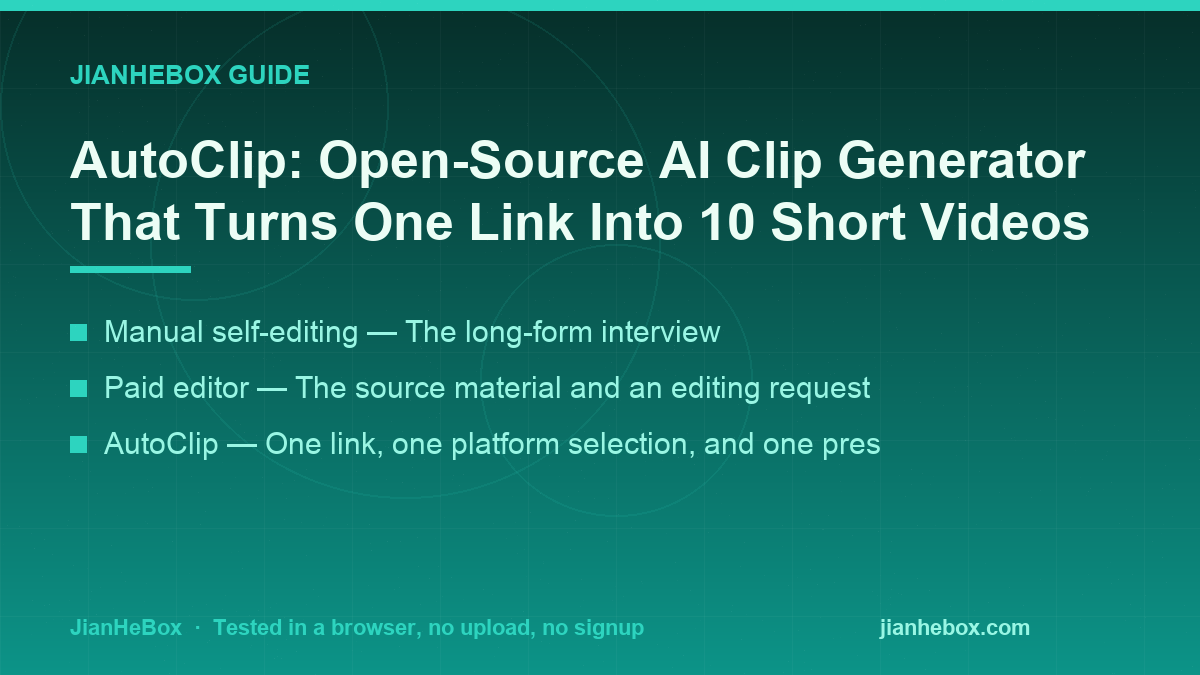
| Manual self-editing | The long-form interview | Find the moments, cut them, reframe the subject, add subtitles, and assemble the assets | Exactly what the editor chooses to publish | Maximum control, but the stated burden of cutting it yourself or staying up |
| Paid editor | The source material and an editing request | Commission the work, coordinate the brief, and review the delivery | Deliverables defined by the editing arrangement | Less editing time, at the cost of paying someone |
| AutoClip | One link, one platform selection, and one press | Start the run and review the generated batch | 10 finished Douyin/Xiaohongshu-style clips, plus cover art and publish copy | Fast batch production, with final editorial judgment still required |
AutoClip does not win by promising a more complicated editing timeline. It wins by collapsing the repetitive sequence into a local batch operation. The most realistic comparison is therefore between AutoClip’s one run and the many small editing sessions required to create ten clips by hand. If the goal is simply to extract and package short-form material, the automatic workflow is the stronger fit.
Selection guide
- Choose AutoClip when a long interview contains a small set of publishable moments and you want a full batch rather than one isolated teaser.
- Stay with manual editing when every second and transition needs deliberate, frame-by-frame treatment; the described AutoClip workflow does not document advanced timeline controls.
- Use a paid editor when the desired result depends on substantial bespoke creative direction and avoiding editing labor is worth the added cost.
- Prioritize local execution when the interview is unreleased, sensitive, or otherwise unsuitable for an upload-based service.
- Use the technical interfaces when Docker, CLI, or MCP integration is already part of your working environment; otherwise, the desktop release is the more direct starting point.
Platform Support and Release Validation
AutoClip supports macOS, Windows, Docker, CLI, and MCP. That is broad access on paper, but the strongest evidence comes from the desktop release packages. The project reports specific checks for local operation, Chinese fonts, person handling, backend startup, and output generation. Those checks are more useful to a prospective user than a generic compatibility statement.
| Option | Confirmed support | Release evidence or limitation | Best fit |
|---|---|---|---|
| macOS | Desktop support | The package passes local signing, built-in backend startup, person reframing, Chinese fonts, and end-card output checks | A Mac-based creator who wants the most fully described desktop validation path |
| Windows | Desktop support | The package covers desktop launch, local video production, and person-detection and Chinese-font checks on a fresh wheel install | A Windows creator who values a clean-install release check |
| Docker | Supported deployment option | The supplied material does not list Docker-specific release checks | A user whose production environment already uses containers |
| CLI | Supported interface | No exact commands or command-specific test results are provided here | A user who wants to work from the terminal |
| MCP | Supported interface | No protocol-specific validation details are provided here | A user connecting AutoClip to an MCP-based toolchain |
For a first pilot, I would use the macOS or Windows package whose validation is described in detail. Docker, CLI, and MCP are useful choices, but support alone does not answer practical setup questions such as how a backend is started or how an MCP integration is configured. The desktop route gives a creator a more concrete first-run path: launch locally, select the platform, process a representative source, and inspect the outputs.
What the Test Numbers Do—and Do Not—Prove
AutoClip reports a backend regression result of 1,106 passed and 2 skipped. Its frontend result is 198 passed. Those are substantial automated test counts, but they should not be converted into a blanket quality guarantee. A passing suite shows that the project’s defined checks succeed; it cannot prove that every source recording, transcript, aspect of reframing, or generated promotional line will be equally good in real use.
The more revealing detail is what the project treats as a release blocker. Person detection and Chinese fonts are explicit blockers, and both desktop packages exercise them. Their inclusion signals that Chinese-language workflows are a serious target, not an incidental use case. The macOS package additionally checks person reframing and end-card output, while the Windows package checks person detection during local video production on a fresh wheel install. For users, that means a release with missing Chinese font support should be treated as incomplete rather than merely imperfect.
Who Should Use AutoClip?
AutoClip is most convincing for creators with a repeatable content problem: long interviews that contain a small amount of publishable material but need to become multiple short posts. It is also a natural fit for publishers distributing across Douyin and Xiaohongshu-style feeds, because one run produces a batch rather than a single export.
- Solo creators: You can produce ten clips, covers, and publish copy without reconstructing the same editing process ten times.
- Multi-platform publishers: The batch-oriented output is better aligned with distribution than a workflow built around one clip at a time.
- Chinese-language creators: Chinese fonts are release blockers, and the macOS and Windows checks explicitly include them.
- Privacy-conscious teams: Local operation and the guarantee that files never leave the machine are meaningful advantages.
- Technical users: Docker, CLI, and MCP support provide routes beyond the standard desktop launch.
The case is weaker when the goal is one meticulously designed teaser, when advanced manual timeline control is non-negotiable, or when the desired publishing service is outside the described Douyin/Xiaohongshu-style workflow. In those cases, automation may produce the wrong shape of deliverable. The question is not whether AI can edit video; it is whether AutoClip’s specific batch workflow matches the shape of the content operation.
Common Pitfalls
Assuming 10 clips means 10 approved clips
The number 10 describes batch size, not editorial quality. A long interview can contain uneven moments, and the generated clips still need to be watched in sequence. Review each result for relevance, framing, subtitles, and continuity rather than approving the batch solely because it was produced in one run.
Treating delivered publish copy as automatic publishing
AutoClip delivers publish copy, but the supplied workflow does not say that it posts to a platform. Do not equate “publish copy included” with “already published.” The operator still has to approve the wording and perform the actual platform publication step.
Ignoring the person and font release blockers
Person detection, person reframing, and Chinese fonts are not cosmetic details. They determine whether the subject is framed correctly and whether subtitles render at all. Check these on the exact operating system and release package you plan to use, especially when the source material is Chinese-language.
Equating local operation with universal source support
Keeping files on the machine is a clear privacy benefit, but it is not a promise that every linked service, URL type, or network condition is supported. Test the exact source flow you intend to use. A failed retrieval is an integration question, not necessarily a file-privacy problem.
Reading regression counts as complete content QA
The backend and frontend results demonstrate project-level testing, but real clips remain the final test. A representative interview can expose poor moments, subtitle problems, or visual issues that a passing suite does not describe. Keep one representative source ready when evaluating the tool.
A Practical First-Run Checklist
Before adopting AutoClip for a recurring publishing schedule, use one representative interview and verify the complete output package:
- Install the macOS or Windows package and confirm that it launches locally.
- Paste the source link, choose the intended platform, and start one run.
- Confirm that the run produces the expected batch of 10 clips.
- Inspect the clipping quality and whether the person is framed correctly.
- Check subtitle readability and Chinese font rendering on every clip.
- Review all cover art and publish copy rather than assuming consistency.
- Confirm that the working files and generated assets remain on the local machine.
- For Docker, CLI, or MCP, verify the integration separately from the desktop path.
Frequently Asked Questions
What exactly does AutoClip generate from one link?
AutoClip’s core job is to turn a linked long-form source into a distribution batch. You paste one link, choose a platform, and press once. The tool then handles clipping, reframing, and subtitles, producing 10 finished Douyin/Xiaohongshu-style clips in one run. It also delivers the video, cover art, and publish copy together. That is broader than extracting highlights because it packages both the visual assets and the text needed for distribution. The supplied workflow does not say that AutoClip publishes by itself, so treat the output as a ready-to-review package rather than an automatic posting service.
Does AutoClip upload source videos to a cloud service?
AutoClip is positioned as an open-source tool that runs locally, and the project explicitly says files never leave your machine. That makes it different from a hosted clipping service: the working media and generated assets stay on the local system. Local operation should not be expanded into claims the source does not make, such as guaranteed offline use or support for every possible linked site. A link still has to point to a source the application can retrieve, and the supplied material does not enumerate compatible providers. The clear privacy guarantee is about files, not a blanket promise about every external interaction.
Which operating systems and deployment options are supported?
AutoClip supports macOS, Windows, Docker, CLI, and MCP, so it can fit both desktop use and more technical deployment patterns. The macOS release package is checked for local signing, built-in backend startup, person reframing, Chinese fonts, and end-card output. The Windows package covers desktop launch, local video production, and person-detection and Chinese-font checks on a fresh wheel install. Those are concrete packaging tests. The supplied facts do not provide Docker image details, CLI commands, or MCP validation steps, so choose those routes only after consulting the project’s actual setup instructions and confirming the integration you need.
Is AutoClip suitable for Chinese-language content?
Yes, Chinese-language workflows appear to be a first-class target. AutoClip produces Douyin/Xiaohongshu-style clips, Chinese fonts are an explicit release blocker, and both the macOS and Windows release checks include Chinese-font validation. Person detection and reframing are also tested, which matters when subtitles and a tracked subject need to remain legible in the final frame. That does not prove every Chinese font, phrase, or source recording will render perfectly. It does mean font availability is treated as something that can block a release rather than an optional polish step. Test Chinese subtitles on the exact operating system and package you intend to ship.
How is AutoClip different from editing the clips yourself or paying an editor?
The practical difference is batch automation and packaging. Manual editing gives you direct control over every cut, but the stated old workflow meant spending time—sometimes staying up—to perform the work yourself. A paid editor shifts that labor to someone else and adds a cost. AutoClip reduces the mechanical sequence to one link, a platform choice, and one press, then returns 10 finished clips with cover art and publish copy. It does not remove editorial review: you still need to decide whether the moments, framing, subtitles, covers, and wording are good enough to publish.
Does the reported test coverage make AutoClip production-ready?
The reported results are encouraging but should be read narrowly. The backend regression result is 1,106 passed and 2 skipped, while the frontend result is 198 passed. On top of those suites, the macOS and Windows packages exercise several release-critical behaviors, including backend startup, local production, person detection or reframing, Chinese fonts, and output checks. This is stronger evidence than a demo, yet it cannot guarantee that every source recording, edit decision, or deployment route behaves identically. Treat the numbers as a reason to run a representative pilot, then inspect the actual clips, covers, subtitles, and copy before adopting the tool in a recurring publishing workflow.
Recommendation: Pilot One Real Interview Before Scaling
Use AutoClip as the first-pass repurposing engine when your recurring input is a long interview, your target is a batch of short Douyin/Xiaohongshu-style videos, and keeping the source files local is important. Start with the macOS or Windows release, use one representative two-hour interview, and compare the 10 generated clips with the ten minutes you would otherwise have edited manually. Check person reframing, Chinese subtitle rendering, covers, and publish copy before changing your workflow.
My concrete recommendation is to run that single-interview pilot on the desktop package with the strongest matching release validation. If all 10 outputs pass the practical review and remain local, make AutoClip the routine first pass and reserve manual editing for clips that need a different treatment. If the batch fails on framing, fonts, or editorial quality, keep the pipeline small and fix the failing stage before processing more source material.
More on this:Video Format Conversion
Data verified November 9, 2026. Pricing, quotas, and features are per official platform pages.