CapCut's ChatGPT Plugin: AI Video Editing Hits 2.0
📌 Key Takeaways (TL;DR)
- Picture a creator with a clear video idea but an empty editing timeline. The idea may be as simple as a product explanation, a personal story, or a visual lesson. Tradition…
- CapCut’s announced ChatGPT plugin is designed to compress that gap. A creator starts with an idea inside ChatGPT, invokes the plugin to generate a CapCut video draft, and t…
Picture a creator with a clear video idea but an empty editing timeline. The idea may be as simple as a product explanation, a personal story, or a visual lesson. Traditional editing begins with the tedious part: translating that idea into scenes, arranging media, adjusting the sequence, and turning a rough plan into a draft that can actually be edited.
CapCut’s announced ChatGPT plugin is designed to compress that gap. A creator starts with an idea inside ChatGPT, invokes the plugin to generate a CapCut video draft, and then moves that draft into the CapCut web editor for refinement, sharing, and publishing. The interesting part is not that AI can make a video. It is that the proposed workflow connects conversation, generation, and editing instead of treating them as separate tools.
That distinction matters, but the plugin was not yet a live feature when it was announced. It was described as “coming soon.” Any assessment should therefore separate the promise of the workflow from the behavior reported by early testers, especially when those testers found that directly asking ChatGPT to drive a CapCut timeline can become messy.
What CapCut Actually Announced
On October 24, 2026, CapCut announced its ChatGPT plugin at CapCut World in Los Angeles. CapCut is the international edition of JianYing, although the two are separate product lines. The announcement specifically targets the international CapCut product rather than the Chinese-market JianYing application.
The official wording says that the plugin brings CapCut’s video editing and generation tools into ChatGPT. The plugin was formally announced for release at CapCutWorldLA, but “coming soon” was deliberate: it was not live at the time of the announcement.
The announced workflow can be summarized in four stages:
- Begin with an idea in ChatGPT.
- Use the CapCut plugin to turn that idea into a video draft.
- Open the draft in the CapCut web editor.
- Refine it in the web editor, then share and publish it.
That sequence is the core of the announcement. CapCut is not presenting ChatGPT as a replacement for its own editor. Instead, ChatGPT becomes the conversational entry point and CapCut remains the production workspace where the draft receives final editorial attention.
The Idea-to-Draft Workflow
1. Start with the idea in ChatGPT
The workflow begins in a conversation rather than on a blank timeline. A creator describes what the video should communicate, and the plugin supplies CapCut’s editing and generation capabilities to that conversation. This is the part that makes the announcement feel different from a conventional AI writing tool: the output is not merely a script or a list of shot suggestions. It is intended to become a CapCut video draft.
A one-line idea is enough to start the process, but early tester reports suggest that a one-line idea is not necessarily enough to control the result. The request becomes more reliable when it is specific and supported by an appropriate skill setup. In practical terms, the opening prompt is the beginning of a working brief, not the entire editing specification.
2. Invoke the plugin to build a draft
The plugin’s main job is to bridge the gap between a conversational brief and an editable video object. Instead of requiring the creator to reproduce every decision from the conversation manually, the plugin is supposed to turn the idea into a draft with an existing timeline that can be opened in CapCut.
This is where the workflow saves meaningful effort. The creator moves from describing intent to reviewing a structured starting point. The remaining job changes from constructing the first cut to judging and correcting it.
3. Move the draft into the CapCut web editor
The draft then goes to the CapCut web editor. This handoff is essential because the announced workflow does not stop after generation. The web editor is where the creator refines the result, makes final changes, and decides what the audience will actually see.
I would treat this boundary as a feature, not a limitation. Generative systems are good at producing a plausible starting structure, while a conventional editor gives the creator direct control over that structure. Letting ChatGPT propose the first cut and letting CapCut handle the final pass creates a cleaner division of responsibility than asking one tool to do both jobs.
4. Refine, share, and publish
Refinement, sharing, and publishing remain part of the CapCut web-editor stage in the announced workflow. That is another reason not to describe the plugin as a complete replacement for CapCut. It accelerates the route into the editor; it does not erase the editing environment.
The practical promise is therefore “faster first cut,” not “finished video without intervention.” For creators who spend substantial time converting a loose concept into an editable sequence, that can still be a useful improvement.
What the Workflow Actually Saves
The first saving is the distance between an idea and an editable draft. Without conversational orchestration, a creator might formulate the idea, write it out, open CapCut, and manually translate the plan into a timeline. The plugin compresses those steps into a conversational handoff. It removes repeated translation work between separate tools.
The second saving is decision fatigue at the start of a project. An empty editor requires immediate choices: what comes first, what follows, and how the material should be organized before fine editing begins. A generated draft gives the creator something concrete to react to. Reviewing a proposed structure is different from inventing that structure from nothing.
The third saving is context. Because the idea begins inside ChatGPT and the plugin brings CapCut capabilities into that conversation, the creator does not need to restart the explanation in another application. The plugin is intended to carry the brief across the boundary and convert it into a CapCut artifact.
What the workflow does not save is equally important. It does not eliminate poor prompts, weak creative judgment, or the need to correct a draft. It does not remove the final review in the web editor. And early tester reports make it clear that conversational control is not automatically precise control: letting ChatGPT drive a CapCut timeline directly can become messy unless the prompt and skill setup are specific.
- Best saved: The blank-page phase, initial structuring, and repeated manual translation of a brief into an edit.
- Not saved: Final creative responsibility, quality control, or the need for a well-defined request.
- Most useful workflow: ChatGPT and the plugin create a credible draft; the CapCut web editor provides final control.
Hands-On Comparison: What the Reports Support
This comparison follows the announced workflow and the available early tester reports. It does not treat an unreleased plugin as a fully tested shipping feature.
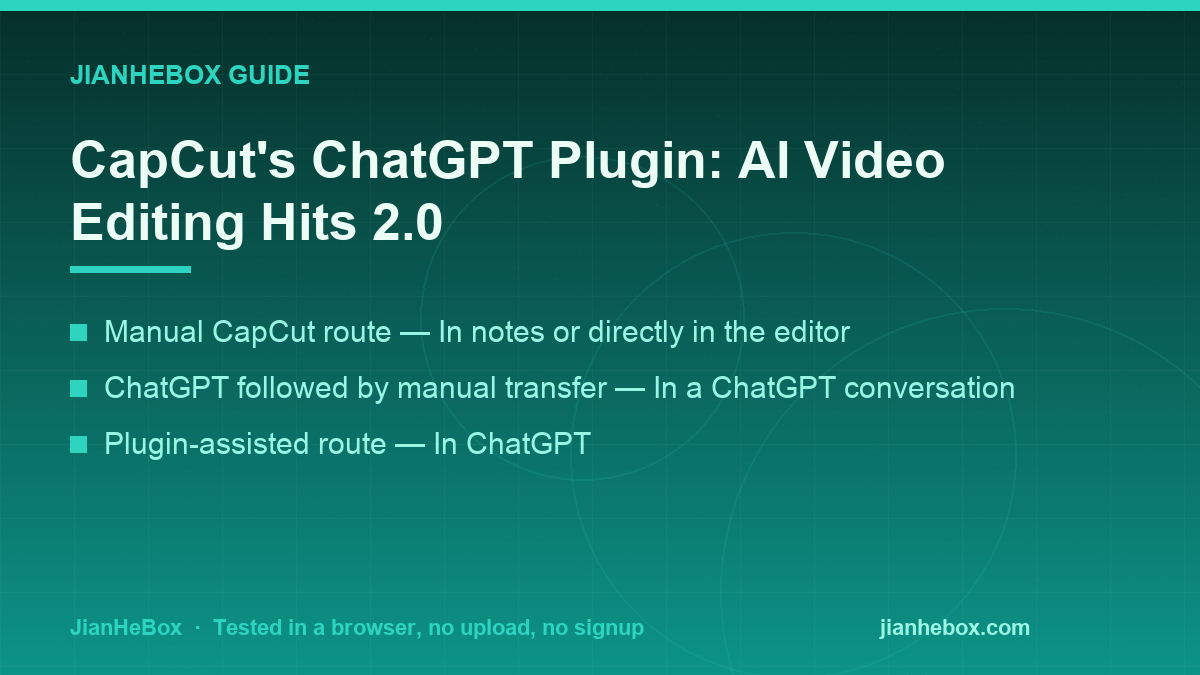
| Route | Where the idea starts | First result | Main trade-off |
|---|---|---|---|
| Manual CapCut route | In notes or directly in the editor | A project assembled by the creator | Maximum control, but the creator performs all initial structuring |
| ChatGPT followed by manual transfer | In a ChatGPT conversation | A written concept that must be recreated in CapCut | Useful for thinking, but repetitive translation remains |
| Plugin-assisted route | In ChatGPT | A CapCut video draft | Faster entry into editing, but it depends on specific instructions and skill setup |
The third route is the first one in which the idea does not have to stop at text. The distinction is not “AI versus no AI.” It is between using AI only to discuss a video and using AI to produce an editable artifact. The plugin moves the work into the second category, while preserving a manual editing stage.
| Stage or decision | ChatGPT and plugin role | Creator’s responsibility | CapCut web editor role |
|---|---|---|---|
| Define the video | Receive the conversational brief | State the subject and provide sufficiently specific instructions | Receives the project after generation |
| Create the first cut | Turn the idea into a video draft | Review whether the draft reflects the intended result | Provides the environment for detailed inspection |
| Control the timeline | Can attempt direct timeline operation | Avoid relying on vague instructions; early reports describe direct control as messy | Supports direct, visual refinement |
| Refine, share, and publish | Hands the draft into the production stage | Make final editorial choices | Completes the announced refinement and output workflow |
A Practical Selection Guide
Choose the plugin-assisted route when you have a defined idea, can provide a specific brief, and want help getting to an editable draft quickly. It is especially compelling when the hardest part of a project is deciding how to begin. The workflow is less attractive when you already have a precise edit plan or need immediate frame-level control; in that case, opening the CapCut web editor is the more direct choice.
Use ordinary ChatGPT without the plugin when you only need to clarify the concept, outline the story, or think through the sequence. That path is faster to evaluate and avoids pretending a written response is already a video draft. Continue with a manual CapCut workflow when precision matters more than speed, or when the final timeline structure is already settled.
For JianYing users, do not assume this announcement applies. The plugin targets international CapCut, and the announcement does not describe a JianYing release.
Common Pitfalls
Treating “Coming Soon” as “Available Now”
The most obvious mistake would be planning a production around the plugin as though it were already live. It was not available at the announcement. A workflow announcement establishes the intended direction and handoff, but it does not remove the need to wait for access, evaluate the real behavior, and confirm whether the plugin works as expected in the creator’s own project.
Assuming a One-Line Idea Is a Complete Brief
The workflow is easy to describe as “one line to video,” but the tester findings add an important qualification. A one-line idea can start the conversation; a specific prompt and skill setup are needed to make the operation work reliably. Creators should expect to refine their instructions after seeing the first draft rather than assuming the first response will capture every editorial decision.
Letting ChatGPT Drive the Timeline Too Broadly
The early reports are clearest on this point: directly letting ChatGPT drive a CapCut timeline gets messy. The safer division is to use the plugin for draft creation and the web editor for deliberate refinement. Natural-language control is valuable for translating intent into a starting cut, but it should not be confused with precise timeline manipulation.
Confusing a Draft with a Finished Video
A generated draft can save work even when it needs substantial correction. The mistake is attaching the wrong expectation to it. The announced flow deliberately ends draft generation before final refinement, sharing, and publishing. Treating the first output as the final answer removes the editorial step that gives the creator authority over the result.
Mixing Up CapCut and JianYing
CapCut and JianYing are separate product lines. This announcement concerns the international CapCut edition. Searching for the same plugin inside JianYing, or assuming identical release timing and behavior, would confuse two distinct products. The distinction should be checked before anyone evaluates the workflow.
What It Means for Creators
The larger signal is the shift from single-point AI features to conversational, end-to-end orchestration. The new model is not simply “a button that generates a clip.” It starts with a conversational request, carries that request into CapCut’s generation and editing tools, produces a draft, and hands the project to a familiar production environment.
That model may eventually matter more than any individual generation feature. Creators do not lack isolated capabilities; they lose time moving intent between disconnected applications. If the same conversation can produce an editable project, the AI tool becomes an interface to the workflow rather than another destination. ChatGPT acts as the conversational control point, while CapCut remains the workbench.
It does not mean creators can safely outsource the entire edit. The timeline-control reports show why. The likely division of labor is more practical: conversational systems prepare and propose; creators inspect and direct. If that boundary holds, the plugin represents a meaningful improvement in workflow design. If users expect a vague idea to become a polished timeline without intervention, they will misread both the announcement and the early evidence.
Frequently Asked Questions
Is CapCut’s ChatGPT plugin available now?
No—at the October 24, 2026 announcement, the plugin was not live. CapCut deliberately described it as “coming soon,” even though it was formally announced for release at CapCutWorldLA in Los Angeles. The announcement establishes the intended workflow, but it should not be treated as proof of immediate access. Anyone evaluating the plugin must first confirm that it is actually available in their environment and then test the behavior with a real project rather than assuming the demonstration scenario will work automatically.
Does the plugin replace the CapCut web editor?
No. The announced workflow explicitly sends the generated draft to the CapCut web editor for refinement, sharing, and publishing. ChatGPT and the plugin accelerate the route from an idea to an editable draft; they do not remove the web editor from the process. This separation is useful because it gives the creator conversational help during setup while preserving direct visual control for detailed editing. The plugin should be understood as a front-end to CapCut’s workflow, not as a separate replacement for the production environment.
Why does letting ChatGPT drive the CapCut timeline get messy?
The available evidence does not provide a technical diagnosis, so it would be misleading to claim a specific root cause. The practical finding is that direct timeline driving becomes messy and needs a specific prompt and skill setup to work. That means reliability depends on how instructions are packaged and translated into editing actions, not merely on how clear the video topic is. The sensible approach is to request a focused draft, inspect what the plugin produces, and perform precise changes in the web editor instead of assuming conversational improvisation will behave like an exact edit command.
Is this the same ChatGPT plugin coming to JianYing?
No. CapCut, the international edition of JianYing, and JianYing itself are separate product lines. This announcement specifically targets international CapCut and describes a handoff from ChatGPT to the CapCut web editor. The announcement does not say that the same plugin, release timing, or behavior will be offered in the Chinese-market JianYing product. JianYing users should evaluate that product separately rather than treating the CapCut announcement as evidence of an equivalent JianYing release.
What does the plugin actually save compared with normal editing?
The clearest saving is the blank-page phase: the work required to turn an idea into an editable first cut. The creator provides a brief in ChatGPT, uses the plugin to generate a CapCut draft, and then reviews that draft in the web editor. This removes repeated manual translation between a written idea and an editing timeline. It does not save final quality control, eliminate prompt correction, or make publishing decisions. The workflow shifts effort from initial construction toward review and refinement; it does not remove editorial work altogether.
Should creators use this workflow or wait for a mature release?
Use it when access is available and your project has a clear subject, because the plugin-assisted path is most useful for getting from a conversational brief to an editable draft. Be more cautious if the exact timeline structure is already settled, your work depends on very precise adjustments, or you cannot tolerate additional prompt iteration. The best first test is a contained project: create one draft through ChatGPT, open it in the CapCut web editor, and measure where manual correction still dominates. That will show whether the saved setup time outweighs the cleanup time.
Final Recommendation
Use CapCut’s ChatGPT plugin as a draft accelerator, not as autopilot. When it becomes available, test one narrowly scoped project with a specific prompt and a deliberate skill setup. Generate the draft inside ChatGPT, open it in the CapCut web editor, and judge the result by two criteria: how much of the initial structure is usable, and how many corrections remain. Keep final sequencing and polish in the editor. If the draft is broadly right but locally wrong, refine the instruction and regenerate; if it is structurally wrong, rebuild manually. That approach captures the real promise of conversational orchestration without ignoring the tester evidence about messy timeline control.
More on this:Video Format Conversion
Data verified November 5, 2026. Pricing, quotas, and features are per official platform pages.