ChatGPT Account Bans Are Spiking: Who's Getting Hit First in November 2026
Imagine opening ChatGPT after a normal workday and finding that your account is gone. The sign-in page says it has been deleted or deactivated. There is no ban email, no obvious warning, and no explanation of what changed. That is the pattern reported by a large number of users in early November 2026: sudden loss of access without the notification many people expect when an account is restricted.
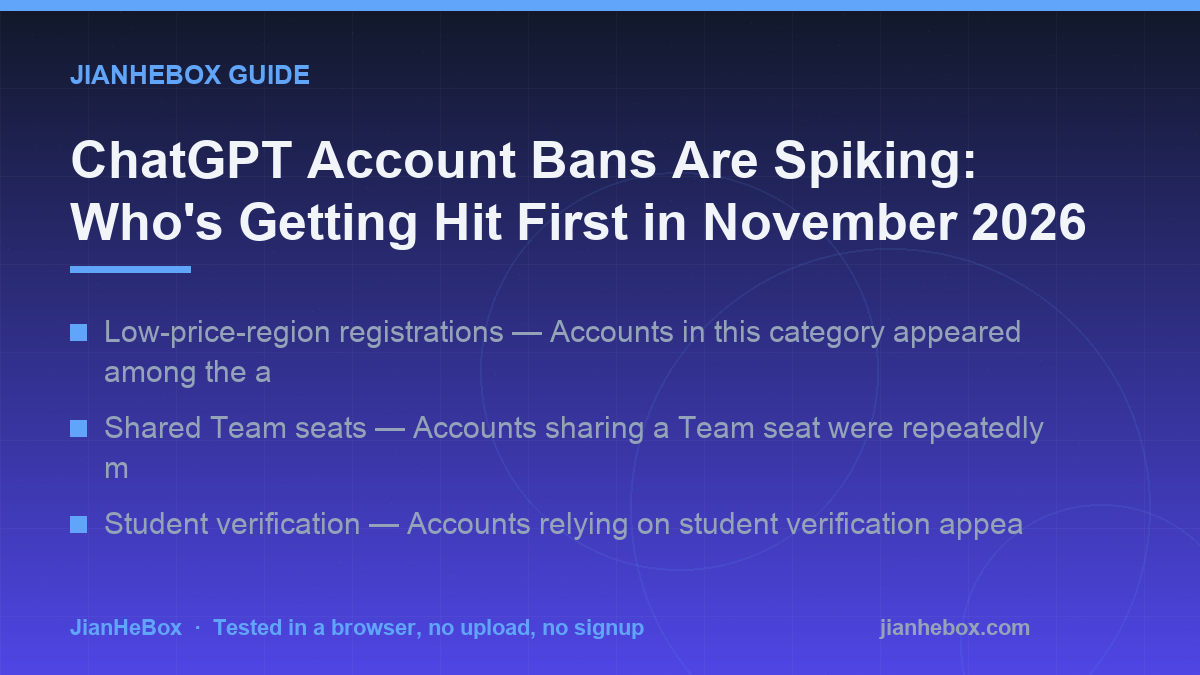
The affected accounts were not random. Social media discussions concentrated around four categories: registrations from low-price regions, shared ChatGPT Team seats, accounts relying on student verification, and accounts accessed through third-party tools. Yet reporting did not establish the exact enforcement criteria, and the source material does not provide a verified ranking showing which category was removed first. What it does show is a useful risk map—and a set of protective moves that are far more practical than waiting for an email that may never arrive.
The November pattern: disabled, deleted, and silent
In early November 2026, a large number of ChatGPT users found that they could no longer log in. Depending on the account and access path, the page reported that the account had been deleted or deactivated. Some users could see only that it was unreachable. This was not a single error message attached to one feature; it was the apparent disappearance of the account itself.
The most alarming characteristic was the missing email. Many affected users received no ban notice at all. Their diagnosis was blunt: “the account is simply gone, not even a ban email.” That distinction matters because many people still assume that account enforcement must produce a message. The November reports show that email should be treated as a possible outcome, not a required one.
Why the absence of notice is itself a warning
Reporting did not clarify why some accounts disappeared without explanation. It also did not identify a single confirmed rule connecting every affected account. That means it would be misleading to claim that one behavior caused the entire wave. Still, the clusters around region, shared seats, student verification, and third-party access provide enough information to prioritize your own setup.
The practical conclusion is straightforward: do not use the absence of an email as evidence that your account is safe. A direct login attempt, an account audit, and independent preservation of important records are more reliable controls than inbox monitoring.
Who is getting hit first?
The available reporting identifies affected categories rather than proving a precise sequence. The following comparison organizes what was reported without turning those observations into unsupported rules.
| Reported category | What was observed | Practical risk judgment | Protective move |
|---|---|---|---|
| Low-price-region registrations | Accounts in this category appeared among the affected users. | High priority for review, but not a confirmed automatic cause. | Confirm the account and region details you use for access and support requests. |
| Shared Team seats | Accounts sharing a Team seat were repeatedly mentioned in discussions. | High operational risk because several users may depend on one arrangement. | Stop sharing a seat and give each active user an individual access path. |
| Student verification | Accounts relying on student verification appeared among those affected. | High priority for anyone whose access depends on that verification. | Confirm the current status and keep independent records of essential work. |
| Third-party tool logins | Users reported that their affected accounts had been accessed through third-party tools. | Higher exposure for accounts that work only through an intermediary. | Use direct ChatGPT access where practical and record the available recovery details. |
Accounts registered in low-price regions
One of the largest reported clusters involved accounts registered in low-price regions. That observation should not be rewritten into a claim that every account from such a region will be removed, because reporting did not identify exact criteria. It does, however, make registration setup something worth reviewing immediately.
My practical advice is to make sure the account details used at sign-in are accurate, understandable, and available to you. If support needs to identify the account, you should be able to provide the relevant registration and access information without guessing. Do not attempt to disguise where an account was registered; maintain a clear record of the facts and focus on preserving access to work that still matters.
Accounts sharing a ChatGPT Team seat
Shared Team seats were another recurring category. For context, ChatGPT Team costs $25 per user per month on the annual plan and $30 per user per month on the monthly plan. Those prices explain why administrators may be tempted to put several people on one seat, but the November reports identify shared seats among the affected arrangements.
The operational problem is bigger than one person losing access. When several workflows depend on a shared arrangement, conversation history, settings, and team operations can become difficult to untangle. The safe response is not to assume that paying the per-user price protects a shared account. Give each active user an individual seat and avoid making a single shared login the only route into important work.
Accounts relying on student verification
Accounts relying on student verification were also among those reported as affected. Student status can appear to provide a simple explanation for why an account should remain available, but the November reporting did not establish that verification guaranteed protection.
Keep the institutional offer separate from personal student verification. OpenAI offers a ChatGPT plan for educational institutions that is free for certified US K-12 educators and valid through June 2027. That is a specific offer with specific eligibility and an end date; it does not mean every student account or every educator arrangement is protected from removal. Anyone dependent on student verification should confirm the status of that arrangement rather than relying on the label alone.
Accounts logged in through third-party tools
The fourth major cluster involved accounts logged in through third-party tools. The reports do not prove that the third-party login itself was the enforcement trigger. They do show that users relying on that route were disproportionately represented among people describing the account as simply gone.
Treat a third-party tool as an access layer, not as the sole holder of your identity and work. Where practical, verify that you can sign in to ChatGPT directly. Keep a record of which third-party services have access, which email address is attached to the account, and any account identifiers you may need if the service disappears. The goal is to avoid discovering during a disruption that you never had an independent way in.
Likely triggers: what can and cannot be concluded
The safest interpretation is that the reported accounts shared several risk factors: unusual account economics, access shared by multiple people, verification tied to an educational status, or reliance on a third-party login path. None of those factors can be promoted into a confirmed causal rule from the available reporting.
That uncertainty is uncomfortable, but it improves the response. Instead of searching for one magic trigger, audit all four areas. A personal user can review region details, avoid shared seats, check student or educator status, and establish direct access. A Team administrator can do the same for every member. A student or educator can verify the institutional arrangement while ensuring important conversations and configuration are not trapped inside the account.
The strongest common denominator is not geography, price, or a particular tool. It is dependence: accounts that depend entirely on one shared, indirect, or poorly documented arrangement have the least room for error when the account vanishes.
The blast radius: what disappears with the account
The practical impact is severe because an account may contain more than a login. If an account holds conversation history, purchased credits, or custom configuration, that material is typically unrecoverable once the account disappears. A replacement ChatGPT account is not automatically a replacement for the old one, because the missing data may not migrate back into it.
For an individual, the loss may include valuable conversations, purchased credits, and customized settings. For a Team administrator, several users may suddenly have inconsistent access while shared configuration becomes difficult to reconstruct. For an educator or student, verification may be the only route to the service, leaving no obvious fallback.
This is why a recovery plan should focus on preservation before enforcement notices. Keep independent copies of any conversations you need, retain purchase records for purchased credits, and document custom configuration outside the account. You do not need to mirror everything you have ever produced. You do need to identify what would be genuinely painful to lose and ensure that material is not trapped in a single account.
What you can actually do now
1. Confirm whether you are looking at deletion or an access problem
Record the exact wording shown by the sign-in page. “Deleted,” “deactivated,” and “unreachable” are not interchangeable in your notes, even though all three can look like the same sudden loss to the person affected. Capture a screenshot and try the direct ChatGPT login rather than relying only on a third-party tool. If direct access also fails, use the normal support route with the account details you can verify.
2. Preserve records before changing anything
Copy or export the conversation content you need using whatever access you still have. Save invoices or receipts tied to purchased credits, and write down custom configuration that would be expensive or annoying to recreate. If access is already gone, assume there is no dependable recovery path and begin rebuilding only from records you kept elsewhere.
3. Eliminate shared-seat dependence
Stop treating a Team seat as a general-purpose login. Review who is using it and move active users to individual access. At $25 per user per month on the annual plan or $30 per user per month on the monthly plan, the administration is already structured around paying per user; sharing one seat undermines both that structure and the November access pattern.
4. Review student and educational status
If your access relies on student verification, check that status now. If you are a certified US K-12 educator, confirm whether you are using the educational-institution plan that is free through June 2027. Do not assume that personal student verification and the institutional educator offer are interchangeable. Keep the confirmation or relevant account details with your other records.
5. Establish direct access and better documentation
Where practical, make direct ChatGPT sign-in the primary path and treat third-party access as secondary. Document the email address on the account, the methods used to reach it, and any relevant registration details. This does not guarantee that an account will survive an enforcement decision, but it removes avoidable uncertainty when you need support.
6. Do not wait for a ban email
The defining feature of the November wave was that many users never received one. Waiting for a message before protecting your work reverses the correct order. Audit and preserve first. Use email as one source of information, not as the trigger for action.
| Protective strategy | What it addresses | Cost or inconvenience | Verdict |
|---|---|---|---|
| Wait for a ban email | None of the observed silent removals. | Apparently none, until the account is gone. | Poor choice. |
| Keep one shared Team seat | Short-term convenience and a lower visible administration count. | Multiple users depend on one account; shared seats were reported among affected arrangements. | Avoid. |
| Use third-party access only | Convenient integration with another tool. | No simple independent sign-in if the account or integration fails. | Use direct access as the primary path. |
| Assign individual Team seats | Shared-seat exposure. | The Team plan is $25 per user monthly on the annual plan or $30 on the monthly plan. | Recommended for active Team users. |
| Keep records outside the account | Loss of conversation history, purchased credits, and custom configuration. | Some manual organization. | Essential. |
| Verify student or educator status | Unclear verification dependencies. | A status review and secure documentation. | Recommended for affected users. |
Which protective approach fits your situation?
- For an individual user: Use direct access, stop sharing credentials, preserve the conversations and settings you cannot recreate, and review the region and verification details attached to the account.
- For a Team administrator: Give each active person an individual seat at the appropriate monthly or annual rate, remove shared access, and ensure that no team workflow depends on one account’s conversation history or custom configuration.
- For a student or educator: Confirm the exact verification arrangement. Certified US K-12 educators should check the free educational-institution plan available through June 2027, while anyone relying on student verification should not assume that status prevents account removal.
- For a third-party-tool user: Keep the integration if it is useful, but confirm direct sign-in, document the associated account details, and preserve important work independently.
Common pitfalls
- Assuming “deactivated” means temporary: The reported pages sometimes used the language of deletion or deactivation, and there was no promised temporary state. Treat permanent loss as a real possibility, especially when conversation history, purchased credits, or custom configuration is involved.
- Claiming that one category caused every ban: The reporting identified clusters but did not clarify exact criteria. Region, Team sharing, student verification, and third-party access are warning signs, not four proven rules.
- Believing the Team price makes sharing harmless: Annual Team pricing of $25 per user per month and monthly pricing of $30 per user per month are cost facts, not enforcement protections. Shared seats appeared in the reported affected group.
- Conflating student verification with the educator plan: The free educational-institution offer applies to certified US K-12 educators and is valid through June 2027. It should not be presented as blanket protection for every student account.
- Using a third-party tool as the only way in: Accounts logged in through third-party tools were among the affected categories. Direct access and documented identifiers reduce dependence on an intermediary.
- Waiting for an email before backing up: Many affected accounts received no ban email. The notification gap makes inbox-watching an inadequate safeguard.
Frequently Asked Questions
Why did my ChatGPT account disappear without a ban email?
The clearest explanation supported by the November reporting is that account removal does not always produce a visible notice. A large number of users found their accounts unable to log in, with pages saying the account had been deleted or deactivated, yet received no ban email. The exact enforcement process was not clarified. That means the missing message cannot prove that you were confused about a temporary error; it may be part of the failure pattern. Save the exact page wording, try a direct login rather than only a third-party route, and contact support through the normal channel with the account details you can verify.
Does registering in a low-price region automatically get a ChatGPT account banned?
No automatic rule is established by the available reporting. Accounts registered in low-price regions were one of the main clusters reported in early November 2026, but the reporting did not clarify the exact criteria used for account removal. It would therefore be both inaccurate and alarmist to state that every registration from such a region is automatically disabled. The category should instead trigger a prompt review of your access details and an independent copy of anything important. Keep your records accurate, avoid shared arrangements, and do not wait for a nonexistent email before acting.
Are shared ChatGPT Team seats safe from this wave of removals?
Shared Team seats were explicitly among the affected categories, so they should not be considered safe. ChatGPT Team costs $25 per user per month on the annual plan and $30 per user per month on the monthly plan, which reflects per-user pricing even though sharing can be tempting. If several people use one seat, each of them risks losing access and may have work, credits, or configuration trapped in the same account. The sensible administrative response is to assign each active user an individual seat, stop sharing credentials, and ensure that important conversations and settings are also preserved outside ChatGPT.
If I use student verification, should I stop using ChatGPT immediately?
There is no basis in the reporting for saying that all student accounts are about to be removed, but accounts relying on student verification were among those affected. Reviewing the verification status is more useful than abandoning the service. Also distinguish personal student verification from the separate educational-institution offer: OpenAI offers a ChatGPT plan for educational institutions that is free for certified US K-12 educators and valid through June 2027. Confirm which arrangement actually supports your access, preserve important records independently, and use direct sign-in where possible rather than depending entirely on a third-party tool.
Can signing in through a third-party tool cause my ChatGPT account to be disabled?
The reporting does not prove that third-party login was the direct cause of removal, because exact enforcement criteria were not clarified. What it does show is that accounts logged in through third-party tools appeared among the affected groups. A sound response is to reduce dependence without assuming a particular technical mechanism. Verify that you can access ChatGPT directly, record the email address and identifiers associated with the account, and list the third-party services connected to it. Keep copies of critical conversations and configuration notes elsewhere so an integration failure cannot also remove your only record of the work.
Can I recover conversations, purchased credits, and custom settings after my account is deleted?
You should not build the recovery plan around restoring them. The practical impact of the November removals was that conversation history, purchased credits, and custom configuration held by a disappeared account were typically unrecoverable. Reporting also did not clarify exact enforcement criteria, so there is no responsible basis for promising that a particular request will reverse a removal. If the account is already inaccessible, begin with any independent records, receipts, or configuration notes you kept. If access still works, copy or export what matters now, retain purchase documentation, and treat independent preservation as the real safeguard against permanent loss.
Concrete recommendation
Do this today: stop sharing Team seats, make direct ChatGPT login your primary access path, verify any student or educator status, and copy the conversations, purchased-credit records, and custom settings you cannot recreate into independent files. For a Team administrator, assign individual seats at $25 per user per month on the annual plan or $30 per user per month on the monthly plan. Do not wait for a ban email, because many of the accounts disabled in early November never sent one. The account most likely to survive future disruption is not the one with the cleverest workaround; it is the one whose access is documented and whose valuable work does not exist only inside ChatGPT.
More on this:Browser Subtitle Generators
Data verified November 9, 2026. Pricing, quotas, and features are per official platform pages.