Gemini Omni 1.2 Flash: Native 15-Second Video With Conversational Editing (2026 Pricing)
Imagine a product team that has a character walking through a kitchen while explaining a new appliance. The first render has the wrong lighting. The second has a distracting background. The third uses the wrong aspect ratio for a vertical ad. Traditionally, each correction means another prompt, another generation, and another attempt to preserve the character and scene.
Google released Gemini Omni 1.2 Flash on November 6, 2026, with native clips of up to 15 seconds, multi-turn conversational editing, stronger reference handling, and a stated 720p generation price of $0.07 per second. That combination makes the model especially relevant for short branded films, character-led demonstrations, and dialogue scenes where revisions need to happen without restarting the entire workflow. It does not make it the automatic choice for fast sports, rapid script changes, or complicated physics.
What Gemini Omni 1.2 Flash Actually Changed
The important upgrade is not merely a longer maximum duration. Google changed both how a clip is generated and how it can be revised. Gemini Omni 1.2 Flash supports native generation and editing up to 15 seconds, compared with up to 10 seconds in the prior version, and it adds per-second duration control. More significantly, a conversation can now modify the same clip by changing its background, lighting, or aspect ratio.
Native 15-second generation and per-second control
Native generation means the model produces the clip directly as video rather than requiring a still-image animation workflow. The longer limit is useful when a shot needs enough time to establish a subject, deliver a line, and complete a visible action. Per-second control is more useful operationally: you can request a shorter beat when a five-second result is enough instead of paying for an unnecessary 15-second clip.
That does not turn the model into a long-form video editor. Fifteen seconds remains a short shot, and the acknowledged weaknesses in rapid script changes remain. Treat the expanded duration as room for a compact narrative beat, not permission to load an entire scene into one prompt.
Multi-turn conversational editing
The conversational workflow is the feature that changes daily production behavior. Instead of rewriting a complete prompt after every correction, you can continue a dialogue and ask for a different background, lighting treatment, or aspect ratio on the same clip. The useful distinction is continuity of intent: the user is discussing an existing shot rather than submitting an unrelated new brief.
For an agency handling several variants of one campaign, this is more valuable than a generic “better prompt” workflow. A director can establish the core shot, request a brighter setup, switch the composition to vertical, and continue refining the result while keeping the creative direction in one thread.
Reference images, motion clips, and audio prompts
Gemini Omni 1.2 Flash accepts character, product, or style images as generation references. It also supports motion clips up to three seconds and audio prompts. Google says the new reference adherence is more accurate and that characters and scenes remain more consistent across cuts. The model also improves dialogue, lip sync, multi-speaker output, and continuous shot control.
These features work together. A reference image can anchor the character or product, a short motion clip can provide movement guidance, and an audio prompt can help define the intended sound or performance. The source does not describe how conflicts among references are resolved, so the best approach is to provide a clean visual hierarchy rather than several competing examples.
| Capability | Omni 1.1 | Omni 1.2 Flash | Practical Meaning |
|---|---|---|---|
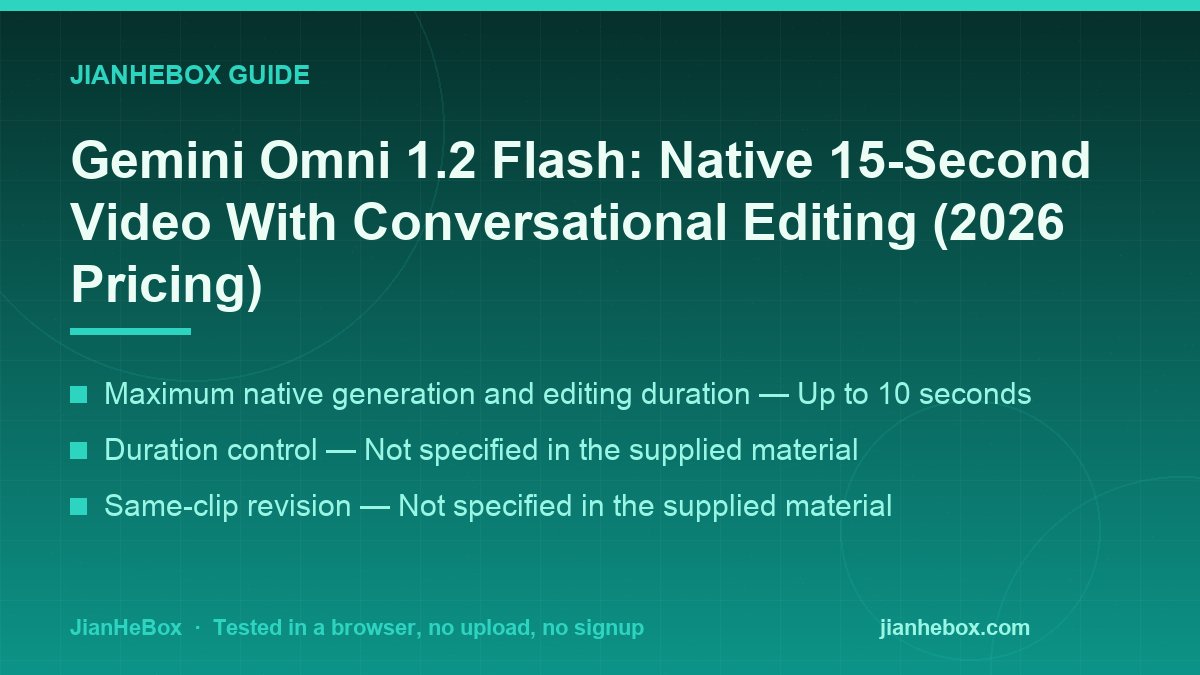
| Maximum native generation and editing duration | Up to 10 seconds | Up to 15 seconds | More room for a complete short beat while retaining native video output. |
| Duration control | Not specified in the supplied material | Per-second control | Creators can request only the duration the shot needs. |
| Same-clip revision | Not specified in the supplied material | Multi-turn conversational editing | Background, lighting, and aspect ratio can change without restarting the brief. |
| 720p generation rate | Implied $0.10 per second from the stated 30% reduction | $0.07 per second | A 15-second generation is $1.05 at the new stated rate. |
| Resolution path | Not specified in the supplied material | Generate at 360p or 720p, then upscale to 1080p or 4K | Teams can iterate at a lower-resolution stage before preparing a larger delivery. |
A Practical Production Workflow
The feature list only becomes useful when it is translated into a repeatable workflow. I would not begin by asking for a maximal 15-second, 4K result. Start with the shot, establish the references, and use conversation to correct the creative decisions that normally trigger the most expensive regeneration loops.
1. Build a focused reference package
Choose the reference material according to the shot’s primary continuity requirement:
- Use a character image when facial or wardrobe consistency is the main concern.
- Use a product image when shape, branding, and product details must remain stable.
- Use a style image when the visual treatment matters more than a specific subject.
- Add a motion clip no longer than three seconds when movement needs a concrete reference.
- Add an audio prompt when speech, performance, or sound direction should guide the result.
Keep the package focused. The material says reference adherence improved, but it does not claim that every supplied reference is obeyed with equal priority. If the character, product, and shot composition are all equally important in the prompt, the model has less room to distinguish the intended hierarchy.
2. Generate at 360p or 720p
The documented resolution path starts with 360p or 720p generation and then supports upscaling the result to 1080p or 4K. That is a sensible way to separate creative iteration from final delivery. Test camera position, action, lighting, and dialogue while the clip is still in the lower-resolution stage, then upscale only the approved take.
At the published 720p rate, a full 15-second iteration is $1.05. Keeping early tests short is therefore easier on both budget and review time. Per-second duration control helps when the complete action can be expressed in five or ten seconds instead.
3. Correct the shot through conversation
After the first generation, continue the conversation rather than replacing the whole prompt. Ask for a specific background change, a lighting adjustment, or a different aspect ratio. This is where Gemini Omni 1.2 Flash separates itself from a fixed one-shot workflow.
Make each revision concrete. “Make it brighter” is weaker than identifying the desired lighting change and its intended effect on the character. The conversational mechanism supports the revision; it does not remove the need for clear art direction. It is also important to remember that Google still lists rapid script changes as an area that needs work. A lighting correction is a different task from rewriting the plot while keeping every element continuous.
4. Upscale only after approval
Once the creative direction is approved, use the documented 1080p or 4K upscaling step. The supplied material does not state a separate charge for upscaling, so it would be unsafe to assume that final delivery costs the same as the base generation. The only published generation rate is $0.07 per second at 720p.
5. Account for access differences
Gemini Omni 1.2 Flash is rolling out across Flow, Google Vids, and Gemini products. The Gemini App rollout is aimed at Google AI Ultra subscribers, and the model is also coming through the Gemini API. “Rolling out” means availability may not be identical across every surface on release day. Teams that need repeatable automation should pay particular attention to API access, while individual creators should check the product surfaces available to their accounts.
2026 Pricing and Cost Math
The headline price is $0.07 per second for 720p video, stated to be 30% lower than Omni 1.1. The following calculations use the published 720p rate and assume the billed duration matches the completed output duration:
| Output or Batch | Calculation | Generation Cost |
|---|---|---|
| One 5-second 720p clip | 5 × $0.07 | $0.35 |
| One 10-second 720p clip | 10 × $0.07 | $0.70 |
| One 15-second 720p clip | 15 × $0.07 | $1.05 |
| Ten 15-second 720p clips | 10 × $1.05 | $10.50 |
| One hundred 15-second 720p clips | 100 × $1.05 | $105 |
Compared with the implied $0.10-per-second Omni 1.1 rate, a 15-second clip saves $0.45. Across ten 15-second generations, that becomes $4.50. This is meaningful for teams producing multiple takes, but the real savings depend on the revision discipline. Ten deliberately reviewed attempts can still cost more than one approved shot.
The source does not explain how rejected generations, conversational revisions, or upscaling are billed. Budget from the published generation rate, then confirm those details before treating the figures as a complete production invoice. It also does not publish equivalent rates for Kling 4.0 or Seedance 2.5, so a direct price comparison is not possible from the supplied facts.
Gemini Omni 1.2 Flash vs. Kling 4.0 and Seedance 2.5
A useful comparison must distinguish an established feature from an unverified assumption. Gemini Omni 1.2 Flash has documented clip limits, reference inputs, editing behavior, a resolution path, a stated price, and acknowledged weaknesses. The supplied material does not provide equivalent specifications, prices, or benchmark results for Kling 4.0 or Seedance 2.5. It would be misleading to declare a universal winner without those details.
| Comparison Area | Gemini Omni 1.2 Flash | Kling 4.0 | Seedance 2.5 | Practical Decision |
|---|---|---|---|---|
| Native clip duration | Up to 15 seconds with per-second control | Not specified in the supplied material | Not specified in the supplied material | Gemini has the clearest documented short-form duration and control. |
| Same-clip revision | Multi-turn changes to background, lighting, and aspect ratio | Not specified in the supplied material | Not specified in the supplied material | Gemini is the first choice for testing conversational corrections. |
| Reference workflow | Character, product, and style images; motion clips up to 3 seconds; audio prompts | Not specified in the supplied material | Not specified in the supplied material | Use identical reference packages to compare adherence directly. |
| Resolution workflow | Generate at 360p or 720p, then upscale to 1080p or 4K | Not specified in the supplied material | Not specified in the supplied material | Compare final delivery quality, not just preview quality. |
| Published generation price | $0.07 per second at 720p | Not specified in the supplied material | Not specified in the supplied material | Gemini is easier to budget from the available evidence. |
| Known problem areas | Fast sports motion, rapid script changes, and complex physics | No comparative findings supplied | No comparative findings supplied | Benchmark both alternatives for these specific shots. |
| Arena.ai result | First in text-to-video and image-to-video evaluations | Comparative result not supplied | Comparative result not supplied | Gemini has the strongest disclosed evaluation result, though details are limited. |
Where Gemini has the strongest case
Start with Gemini Omni 1.2 Flash when the brief contains a consistent character or product, a spoken or multi-speaker performance, and a need for several small revisions. The reference workflow supports identity and style control, while the improved dialogue, lip sync, multi-speaker, and continuous shot features address several common weak points in short-form AI video.
The conversational layer gives it a practical edge in revision-heavy work. A lighting change should not require rebuilding the entire product scene. Neither Kling 4.0 nor Seedance 2.5 is documented here as having the same multi-turn, same-clip behavior, so Gemini is the best-supported first test for that specific job. That is a workflow advantage grounded in a documented feature, not a claim that its raw image quality is always superior.
Where Kling 4.0 and Seedance 2.5 deserve a serious test
Fast sports motion, rapid script changes, and complex physics are explicitly acknowledged weaknesses of Gemini Omni 1.2 Flash. Those are not edge cases to ignore. They are exactly the conditions under which a production team should run the same prompt through Kling 4.0 and Seedance 2.5 and compare frame-by-frame stability.
The Arena.ai result is encouraging: Gemini ranked first in both text-to-video and image-to-video evaluations. The supplied material does not provide the evaluation margin, prompt set, or complete competitor rankings, so that result should guide priorities without replacing a project-specific test. For a fast bicycle race, a rapid dialogue rewrite, or an object that must roll, bend, collide, and settle correctly, use the alternatives to identify the more stable result.
Scenario selection guide
| Scenario | Recommended First Test | Reason |
|---|---|---|
| 15-second branded product clip | Gemini Omni 1.2 Flash | Product references, 15-second native duration, per-second control, and a $1.05 cost at the stated 720p rate align well with the job. |
| Character continuity across cuts | Gemini Omni 1.2 Flash | Google specifically reports improved reference adherence and character and scene consistency across cuts. |
| Dialogue or multi-speaker scene | Gemini, with direct competitor checks | Its dialogue, lip sync, and multi-speaker controls improved, but the supplied material does not establish a head-to-head lead. |
| Background, lighting, or aspect-ratio revision | Gemini Omni 1.2 Flash | Conversational editing is the clearest documented fit for changing an existing clip. |
| Fast sports action | Benchmark Kling 4.0 and Seedance 2.5 first | Google explicitly acknowledges weakness in fast sports motion. |
| Rapid script changes | Do not make Gemini the only option | Rapid script changes remain an acknowledged weakness even with conversational editing. |
| Complex physics or effects | Run a controlled three-model test | Complex physics still needs work, and no equivalent competitor results are supplied. |
Common Pitfalls
- Treating 15 seconds as unlimited scene capacity. The limit can hold a complete short beat, but it does not remove the need for continuity across multiple generated clips.
- Assuming conversation can rescue every kind of change. Background, lighting, and aspect ratio are documented use cases. Rapid script changes are explicitly listed as a weakness.
- Supplying contradictory references. Improved adherence does not mean every reference will receive equal priority. Give the model a clear subject, action, and visual hierarchy.
- Assuming 4K is generated natively. The documented path starts at 360p or 720p and upscales the result to 1080p or 4K.
- Expecting flawless speech performance. Dialogue, lip sync, and multi-speaker control improved, but “improved” is not the same as perfect synchronization in every scene.
- Ignoring the acknowledged weak spots. Fast sports motion and complex physics are poor reasons to select the model without testing an alternative.
- Budgeting only the first generation. The published $0.07-per-second rate makes calculation easy, but the supplied material does not clarify revision, rejected-output, or upscaling charges.
- Assuming immediate access everywhere. Availability is rolling out across Flow, Google Vids, Gemini products, the Gemini App for Google AI Ultra subscribers, and the Gemini API.
- Overreading the Arena.ai result. First place in text-to-video and image-to-video is meaningful, but it does not guarantee superiority for every subject, prompt, or delivery format.
Frequently Asked Questions
How much does a 15-second Gemini Omni 1.2 Flash video cost?
At the published 720p rate of $0.07 per second, one 15-second clip costs $1.05 in generation charges. A five-second clip costs $0.35, and a 10-second clip costs $0.70. Ten full-length 15-second clips total $10.50, while 100 total $105. These calculations assume that billed duration matches the completed output duration. The supplied material does not state separate pricing for rejected generations, conversational revisions, or 1080p and 4K upscaling, so those items should be confirmed before they are used in a production forecast.
What is conversational editing in Gemini Omni 1.2 Flash?
Conversational editing lets you continue talking to the model and modify an existing clip without replacing the whole prompt. The documented examples include changing the background, adjusting lighting, and modifying the aspect ratio. That makes it useful for creative review, where a director can approve the core action and then refine the presentation through several turns. It is more than a cosmetic chat interface because the edit applies to the same clip. However, it should not be confused with unrestricted rewrites: Google still identifies rapid script changes as a weak area that needs further work.
Does Gemini Omni 1.2 Flash generate native 4K video?
No native 4K generation is documented in the supplied material. The stated resolution path is to generate at either 360p or 720p and then upscale the result to 1080p or 4K. That distinction matters when judging image detail, text rendering, edges, and motion stability. A larger final file does not necessarily contain the same native detail as a 4K generation. The practical workflow is to finish the creative edits at 360p or 720p, approve the take, and then apply the supported upscale. The source does not provide a separate price for that final-resolution step.
What reference material can I use with Gemini Omni 1.2 Flash?
The documented inputs include character images, product images, and style images. You can also provide motion clips of up to three seconds and use audio prompts. Google says reference adherence is more accurate than before and that characters and scenes stay more consistent across cuts. In practice, use the reference that carries the most important continuity requirement: character identity, product shape, or visual style. Keep the motion clip short and within the stated three-second limit. Because the material does not explain conflicting-reference behavior, a focused set of references is safer than a large collection with equal visual weight.
Is Gemini Omni 1.2 Flash better than Kling 4.0 or Seedance 2.5?
The available evidence supports Gemini as the first model to test for 15-second short-form clips with reference-guided consistency and conversational revisions, but it does not justify a universal claim. Gemini has documented capabilities, a $0.07-per-second 720p rate, and first-place Arena.ai results in both text-to-video and image-to-video. The supplied material does not include matching duration, price, feature, or benchmark data for Kling 4.0 and Seedance 2.5. Therefore, the practical comparison is scenario-specific: Gemini is strongest on the documented revision workflow, while Kling 4.0 and Seedance 2.5 must be tested directly for fast motion, rapid script changes, and complex physics.
Is Gemini Omni 1.2 Flash suitable for sports, dialogue revisions, and complex effects?
It is suitable for many of those projects, but not equally strong in every category. Dialogue, lip sync, multi-speaker output, and continuous shot control all improved, making the model worth testing for spoken scenes. Fast sports motion and complex physics effects still need work, so I would not make it the only candidate for those shots. Rapid script changes are another stated weakness. A background or lighting adjustment through conversation is a supported operation; rewriting the story several times while preserving every character and action is a different and riskier task. Keep Kling 4.0 and Seedance 2.5 in the comparison for the difficult motion cases.
Final Recommendation
For your next 15-second branded product or character clip, generate Gemini Omni 1.2 Flash at 720p with focused character or product references, budget $1.05 per full-length generation, revise lighting and framing through the existing conversation, and upscale only the approved take. If the shot contains fast sports action, a rapid script rewrite, or demanding physics, run that exact brief through Kling 4.0 and Seedance 2.5 before committing. The decisive recommendation is simple: use Gemini Omni 1.2 Flash as the default for reference-led, revision-heavy short video, but do not select it blindly for motion or effect shots where Google has already flagged the weakness.
More on this:How Add Subtitles
Data verified November 7, 2026. Pricing, quotas, and features are per official platform pages.