Kimi K3.1 Pro Open Weights: 2.8T Parameters and a 1M Context Window
Imagine an engineering lead who wants one model to inspect a very large repository, draft a code change, and then carry the task through several tool-backed steps. The first reaction to “2.8 trillion parameters” may be that this belongs on a powerful workstation. The second reaction, after checking the deployment requirements, is that it belongs on a multi-GPU cluster—or behind somebody else’s API.
That distinction is the practical story behind Moonshot AI’s Kimi K3.1 Pro. Released on November 4, 2026, it combines an unusually large open-weight model, a 1-million-token context window, and strong results in code, 3D creation, financial research, and long-horizon agent work. The model is worth testing. Running it locally is a different proposition entirely.
What Moonshot Actually Released
Moonshot describes K3.1 Pro as the first model in the new K3.1 series and “officially the most capable 3T-class open-weight model to date.” That is a release-positioning claim, but the architecture gives it a concrete basis: 2.8 trillion parameters organized through a Mixture-of-Experts design. The model also supports a context window of 1 million tokens, allowing it to receive unusually large bodies of source material in a single request.
Why “Open Weight” Matters
Open weights give teams the option of running the model under their own infrastructure rather than relying entirely on a hosted service. That option is strategically important for organizations that need operational control, but it should not be confused with workstation-scale deployment. In this case, the release facts point in the opposite direction: a 3T-scale model is far beyond a consumer card and requires a multi-GPU cluster.
Open-weight status also does not answer every question about use. The supplied material does not specify licensing, redistribution, attribution, or commercial-use terms. Those need to be checked in the actual release documentation before the model enters a product or internal platform.
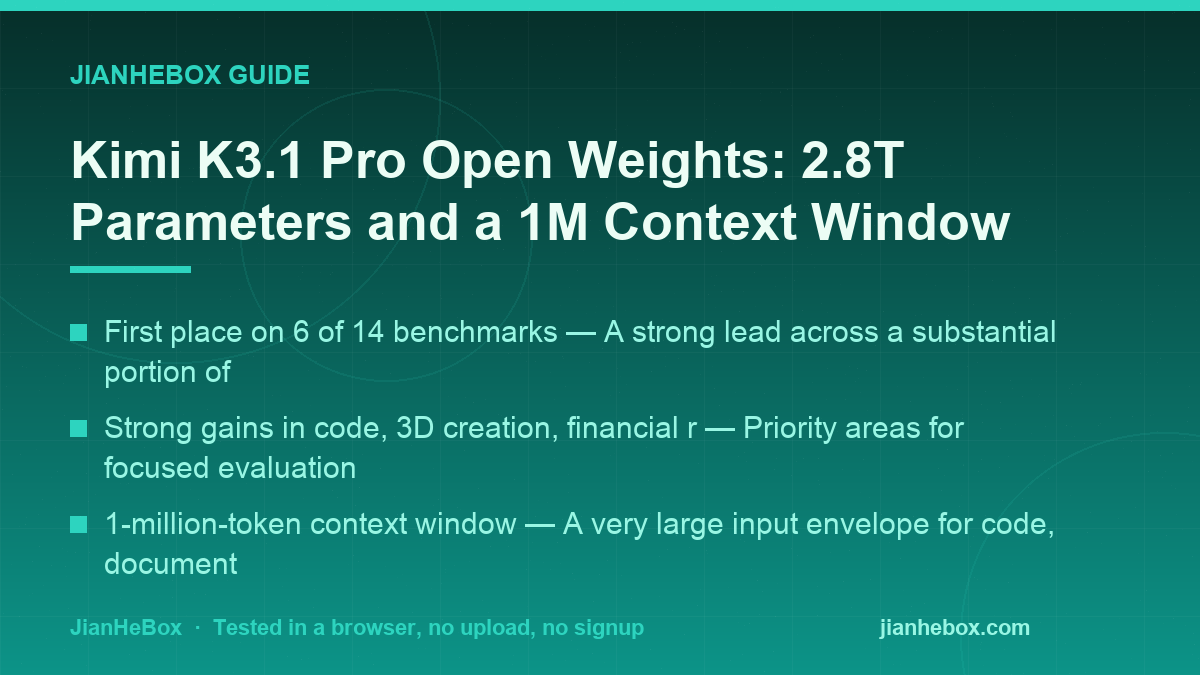
How to Read the 6-of-14 Benchmark Result
K3.1 Pro took first place on six of 14 benchmarks. Moonshot also identifies its strongest gains in code, 3D creation, financial research, and long-horizon agent work. That is a compelling set of signals for technical teams, but it is not a claim that the model won every benchmark or that it will be best on every internal workload.
| Release Signal | What It Supports | What It Does Not Support |
|---|---|---|
| First place on 6 of 14 benchmarks | A strong lead across a substantial portion of the reported evaluation set | A universal ranking above models that placed first elsewhere |
| Strong gains in code, 3D creation, financial research, and agent work | Priority areas for focused evaluation | Proof that every related production task will succeed |
| 1-million-token context window | A very large input envelope for code, documents, and other material | Perfect recall or equal attention across every token |
| A faster variant | A separate option when response time matters | Automatic parity with Pro’s benchmark quality |
The useful question is not whether six wins “beats” another model. It is whether those wins resemble your work. If the application generates code, produces 3D-related output, performs financial analysis, or executes multi-step agent tasks, K3.1 Pro deserves a serious trial. If it handles a narrow task with rigid formatting, the decisive comparison may instead be quality per response, latency, and operational simplicity.
The API Is the Lowest-Friction Way to Test It
Moonshot shipped full API documentation alongside the release. The documented interface includes reasoning-effort controls, streaming, vision input, and tool calling. Those features turn K3.1 Pro from an impressive benchmark entry into a practical candidate for applications that need more than a single text response.
- Reasoning effort: lets developers adjust how much computational emphasis the model applies to a request, which is useful when quality and response time cannot use the same setting.
- Streaming: supports progressive output, making long-running analysis and agent workflows feel more responsive.
- Vision input: expands the model beyond text-only work and makes it relevant wherever images or visual references are part of the task.
- Tool calling: allows the model to participate in workflows that interact with external functions rather than relying on generated text alone.
For an initial evaluation, the API avoids the largest distraction: cluster procurement. You can test context handling, code quality, visual inputs, and tool-use behavior without proving that you can operate a 2.8-trillion-parameter model. That lets the team spend its first engineering effort on evaluation criteria and failure handling, which are more likely to determine production success than the serving stack.
Local Deployment: Supported Does Not Mean Simple
The day-0 vLLM support announced on November 4, 2026, is meaningful for the self-hosting ecosystem. It reduces one common source of delay: waiting for serving support after a model release. It does not reduce the hardware requirement, the operational load, or the need to validate the deployment against the hosted API.
| Dimension | Cloud API | Self-Hosted Deployment |
|---|---|---|
| Infrastructure | The provider operates the 2.8T model | You operate a multi-GPU cluster |
| Initial access | Use the documented API features directly | Host the open weights with infrastructure such as vLLM |
| Available controls | Reasoning effort, streaming, vision input, and tool calling are documented | Validate local feature parity; the release facts do not guarantee identical API behavior |
| Context | Use the released 1-million-token capability | Your deployment must implement the context behavior your workload requires |
| Operational burden | Focus on the application, integration, and evaluation | Own capacity, serving, monitoring, upgrades, and recovery |
| Best fit | Most teams beginning evaluation or building API-backed applications | Organizations with existing cluster capacity and a clear need for direct control |
Do not let the “open-weight” label distort the capacity estimate. The Mixture-of-Experts architecture describes how the model’s capacity is organized, but a full deployment still requires hosting the released weight set. The supplied facts do not support a specific GPU count, memory configuration, or quantization plan, so anyone offering one without the serving configuration would be guessing.
What vLLM Day-0 Support Actually Buys You
It gives infrastructure teams an early, supported path to work with the model instead of waiting for compatibility. That can shorten an already substantial deployment project. It also signals that serving the model is a realistic engineering activity for organizations prepared to operate serious infrastructure. “Realistic” is not the same as “easy,” and day-0 support is not the same as a turnkey cluster deployment.
Developer Implications
The release changes application design in several ways. The 1-million-token context window encourages teams to rethink document packaging. Tool calling and long-horizon agent results point toward workflows that preserve state across multiple steps. Meanwhile, the API’s vision support and the reported 3D-creation strength make the model relevant to pipelines that combine visual interpretation with structured output.
- Design for retrieval quality, not just context size. A large window lets you submit more material, but the application still needs a way to verify that the relevant facts were found and used.
- Break long tasks into observable stages. For agent workflows, define tool boundaries, intermediate checks, and clear stopping conditions instead of relying on one long autonomous run.
- Test the model in its strongest domains first. Code, 3D creation, financial research, and long-horizon agent work are the areas where the release reports the clearest advantages.
- Keep deterministic tools in deterministic roles. Let the model plan, interpret, and generate; use specialized software for exact file-format conversion and other mechanical operations.
In financial research, for example, the model’s reported strength makes it a strong review and synthesis candidate, not an automatic authority. Source checking, calculation review, and domain approval remain part of the workflow. The same rule applies to code: a benchmark-winning patch still needs tests, review, and integration checks.
Selection Guide: Pro, Faster Variant, API, or Cluster
Start with the option that lets you learn the most while keeping operational commitments small.
- Choose K3.1 Pro through the API for the first evaluation. This is the fastest route to testing the reported capabilities, the 1-million-token context, reasoning controls, streaming, vision, and tool calling without buying cluster infrastructure.
- Choose the faster variant for latency-sensitive prototypes. Its published advantage is speed, but the supplied release facts do not establish benchmark parity with Pro. Run both against the same quality gate before making it the default.
- Choose self-hosting when infrastructure control is a requirement, not a hobby. The target is a multi-GPU cluster. If your organization lacks that capacity or an operations team, the API is the responsible choice.
- Choose workloads that resemble the reported strengths. Begin with code, 3D-related tasks, financial analysis, or multi-step agent work. Expand only after measuring reliability on real inputs rather than curated examples.
Use the same evaluation set for every candidate. Include difficult long-context cases, a code change that must pass tests, a tool-using workflow with an intentional failure point, and at least one task where the model should ask for clarification or stop. A model that looks impressive on easy inputs but fails silently on difficult ones is not production-ready.
Common Pitfalls
- Assuming “open weight” means “fits on my machine.” It means the weights are available for deployment under their applicable terms. For this 2.8-trillion-parameter model, the realistic local target remains a multi-GPU cluster.
- Treating 1M context as guaranteed memory. The window defines how much input can be supplied. It does not prove that every included instruction or fact will be applied reliably, so retrieval and task-level validation are still required.
- Reading 6 of 14 as a clean sweep. Six first-place finishes are meaningful, especially in the highlighted domains, but they do not establish superiority on every task. Score the model against your own workload.
- Assuming the faster variant is equivalent to Pro. “Faster” is a meaningful distinction; “same quality” is a separate claim that the supplied facts do not establish. Compare both variants directly.
- Believing vLLM support eliminates infrastructure work. Day-0 support solves an integration problem, not the cluster, capacity, monitoring, upgrade, or reliability burden that comes with operating a 3T-class model.
- Skipping domain validation. Strong benchmark gains in code, 3D creation, financial research, and agent work do not remove testing, review, or safety checks. The more consequential the output, the stricter the acceptance criteria should be.
Frequently Asked Questions
Can I run Kimi K3.1 Pro on a consumer GPU?
No—not if “consumer GPU” means a single desktop card. Kimi K3.1 Pro has 2.8 trillion parameters, and the supplied release facts explicitly place practical self-hosting beyond a consumer card. The realistic local target is a multi-GPU cluster. MoE does not turn the storage and serving burden into a workstation project, and day-0 vLLM support addresses serving software, not the capital and operations required. Use the cloud API while you evaluate. Self-host only if you already have cluster capacity and a team that can own deployment, monitoring, and upgrades.
Does open-weight mean I can use it commercially without restrictions?
Open-weight does not by itself answer the legal and operational questions. The provided material establishes that weights are open and names vLLM day-0 support, but it does not state the license, redistribution terms, attribution requirements, acceptable-use conditions, or commercial-use permissions. Those details must come from the actual release terms. Before putting the model in a product, have counsel or your open-source policy owner review the repository documentation, then record the exact version and terms your deployment depends on. Do not infer permissions from the benchmark result or from the phrase “open-weight.”
Does a 1-million-token context window mean the model can reliably use an entire codebase?
No. A 1-million-token context window means the model can accept a very large input envelope; it is not a guarantee that every instruction, symbol, or fact in that envelope will receive equal attention or be used correctly. Treat the limit as capacity, then test retrieval and long-range reasoning with your own material. Put the most important requirements near the prompt’s operative instructions, use a retrieval or chunking process when appropriate, and score the model against a checklist of facts that must survive. A large window is valuable for fitting context, but validation remains more important than headline capacity.
Does first place on six of 14 benchmarks make K3.1 Pro the best model for everything?
Not on the evidence provided. First place on six of 14 benchmarks is a strong result, and Moonshot identifies code, 3D creation, financial research, and long-horizon agent work as the model’s strongest gains. It is not a first-place finish on every listed benchmark. The practical question is whether your workload resembles the reported strengths and how you score quality, latency, and recovery from failure. Run a representative benchmark suite, compare outputs with your current system, and require task-specific acceptance criteria. Treat the aggregate ranking as evidence for a trial, not permission to skip evaluation.
Should I choose K3.1 Pro or the faster variant?
Choose by workload, not by the word “Pro.” Kimi K3.1 Pro is the disclosed 2.8-trillion-parameter, 1-million-context model, and it is the variant associated with the strongest benchmark gains. The release also included a faster variant, but the supplied facts do not give its parameter count, benchmark table, context behavior, or proof of feature parity. If latency is the gating constraint, put both through the same quality and resource-budget test. Do not assume the faster model inherits Pro’s wins, and do not assume it matches Pro’s capability without measuring the tasks that matter to your team.
Can I use the same API features after deploying K3.1 Pro with vLLM?
The API path explicitly supports reasoning-effort controls, streaming, vision input, and tool calling, which makes it practical for long-context analysis and agent-style workflows without running a 2.8-trillion-parameter model yourself. vLLM’s day-0 support is encouraging for teams that already operate multi-GPU infrastructure, but the release material does not establish that every hosted API feature behaves identically in a self-hosted configuration. Validate tool schemas, streaming behavior, multimodal handling, and context limits separately. In short, the API is the lower-operations path; local deployment is an infrastructure commitment, not merely a download.
Recommendation
Run K3.1 Pro through the cloud API first. Build one evaluation suite containing a difficult long-context task, a code change with executable tests, a multi-step tool workflow, and one visual-input task. Compare Pro with the faster variant on that same suite, and reject either option if it fails your quality gate or recovery requirements.
Commit to a multi-GPU deployment only when you already have the infrastructure, need direct operational control, and have validated the local feature set. For exact media-format work, keep deterministic conversion in a dedicated tool—such as JianHeBox’s SRT and FCPXML converter—and use K3.1 Pro for higher-level planning, interpretation, and code generation. Make the cloud-versus-cluster decision after that suite passes, not before it starts.
More on this:Browser Subtitle Generators
Data verified November 5, 2026. Pricing, quotas, and features are per official platform pages.