Pika H3 Flex Open Weights: Run AI Video With Audio Locally (2026 Hardware Guide)
Picture a video team with a deadline tomorrow and a shot that needs generated visuals, synchronized sound, and stereo audio. Sending the work to an unfamiliar hosted service raises questions about cost, availability, and creative control. Running it locally raises a different question: will the machine have enough memory and finish the job before the deadline?
Pika H3 Flex makes the local option concrete, but not universal. Its open-weights package generates synchronized video with stereo audio in six steps, with representative generations completing in under 60 seconds. However, the disclosed local hardware reference is a single H100 80GB, while native 1080p, 2K, and 4K delivery remains on Pika’s hosted API. That distinction should drive the purchasing and deployment decision.
What Pika H3 Flex Actually Released
The release sequence explains why H3 Flex is interesting in October 2026. It is not an isolated model launch; it is the latest step in a short chain of open video-and-audio model releases.
- MiniMax open-sourced the H3 model, which performs joint video and audio generation, in October 2026.
- On Oct. 28, an Efficient-Large-Model team from NVIDIA and MIT released a derivative of H3.
- On Oct. 29, Pika launched Pika H3 Flex as an open-weights video-and-audio package containing two adapters.
H3 Flex is a six-step distillation of MiniMax H3. Its important feature is not merely separate video and audio outputs. The model generates synchronized video and stereo audio together, so the sound is part of the generation process rather than something added in a later editing pass.
The package also advertises Omni-reference and native 480p and 768p output. The supplied release facts do not define the internal roles of the two adapters or explain the mechanics of Omni-reference. That limits how much can be promised about their behavior, but it does not change the deployment result: Pika has released an open-weight package that can run in ComfyUI.
Why the Six-Step Design Matters
Six-step generation makes H3 Flex substantially more practical than treating an open video model as an experiment that runs indefinitely. The reported under-60-second completion time applies to representative cases and should not be read as a universal performance guarantee.
For an engineer, the useful takeaway is straightforward: local H3 Flex is a specialized inference workload, not a general-purpose workstation task. If a test environment does not reproduce the representative timing, the first question should be whether the model, adapters, output resolution, and generation settings match the released workflow. “Open weights” enables experimentation; it does not erase differences between hardware.
Local Hardware: What Is Actually Known
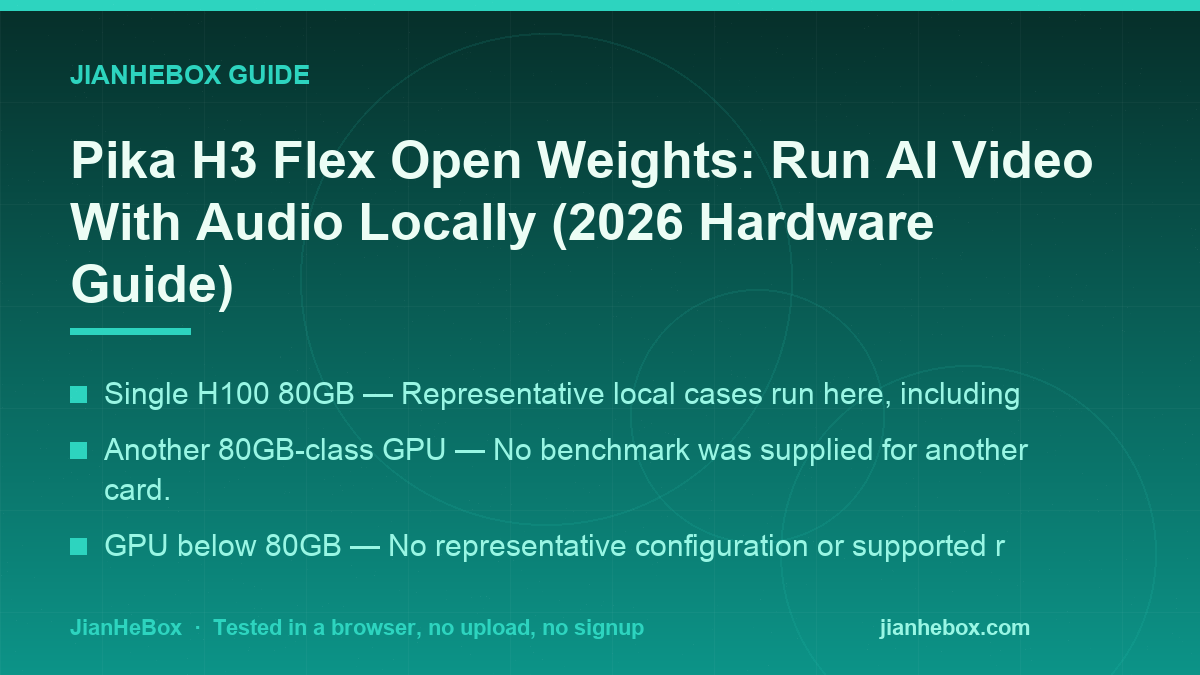
The only disclosed local hardware reference is a single H100 80GB. The release does not provide a minimum-VRAM figure, peak memory measurement, supported consumer-GPU list, or performance results for other cards. Therefore, 80GB should be treated as the confirmed reference configuration, not automatically as a hard minimum.
| Hardware tier | Confirmed information | What it means for deployment |
|---|---|---|
| Single H100 80GB | Representative local cases run here, including synchronized video and stereo audio, typically in under 60 seconds. | This is the only defensible baseline for planning a production workflow. |
| Another 80GB-class GPU | No benchmark was supplied for another card. | Memory capacity alone does not prove equivalent performance. Test the released workflow before committing. |
| GPU below 80GB | No representative configuration or supported requirement was provided. | Local execution may be experimental, but the supplied facts do not establish compatibility or expected timing. |
| No suitable local accelerator | No local performance case was provided. | Use Pika’s hosted API instead of buying hardware on an unverified assumption. |
This distinction is important because VRAM capacity and actual memory demand are not the same thing. An H100 80GB tells us the size of the confirmed platform, not how much of that 80GB H3 Flex consumes. It would be equally misleading to claim that 80GB is mandatory or to imply that a smaller card must fail.
For any machine other than the reference H100, measure five things during the first run:
- Wall-clock generation time for the full six-step workflow.
- Peak memory consumption rather than installed memory.
- Whether the workflow completes at both 480p and 768p.
- Whether the generated stereo track remains synchronized with the visuals.
- Whether repeated runs produce consistent output without manual intervention.
480p, 768p, 2K, and 4K: Choose the Right Output Path
Resolution is where the local-versus-hosted decision becomes unavoidable. H3 Flex supports native 480p and 768p output locally. The stated production route for 1080p, 2K, and 4K is Pika’s hosted API.
| Output path | Route | Practical distinction |
|---|---|---|
| 480p | Local ComfyUI | Native local output; suitable for the confirmed local workflow. |
| 768p | Local ComfyUI | Higher native local output than 480p, still within the confirmed local modes. |
| 2K upscale workflow | ComfyUI pairing | The package pairs with a 2K upscale workflow, but this should not be confused with native local 2K generation. |
| 1080p | Pika hosted API | Required hosted delivery tier. |
| 2K | Pika hosted API | Use the hosted route when the deliverable requires the stated 2K output tier. |
| 4K | Pika hosted API | Local 4K generation is not one of the stated local capabilities. |
The 2K upscale workflow is the subtle point. H3 Flex’s ComfyUI path is paired with a workflow for moving toward 2K, while the release facts separately place 1080p, 2K, and 4K on the hosted API. Those statements should not be collapsed into a claim that native 2K or 4K generation is locally available.
My practical rule is to keep the local pipeline native at 480p or 768p, verify the synchronized stereo result, and treat upscaling as a separate stage. For a final deliverable that specifically requires 1080p, 2K, or 4K, use Pika’s hosted API rather than relying on an ambiguous interpretation of “2K workflow.”
A Disciplined ComfyUI Setup Plan
H3 Flex runs in ComfyUI, but the supplied material does not document specific node names, package filenames, ComfyUI versions, or installation commands. Inventing those details would turn a deployment guide into a recipe that may fail on the first machine. A safer setup process focuses on validating the released package and its workflow.
- Obtain the Pika H3 Flex open-weights package and confirm that both advertised adapters are included.
- Use the ComfyUI installation and workflow definitions supplied with the release rather than assuming compatibility with an arbitrary setup.
- Make the H3 Flex weights and both adapters available to the workflow.
- Begin with native 480p output and the documented six-step generation path.
- Inspect the complete result, including the stereo track and its synchronization with the generated visuals.
- Repeat the test at native 768p and record wall-clock time and peak memory use.
- Add the paired 2K upscale workflow only after the native generation result is stable.
On the reference single H100 80GB, the target should be a typical generation time under 60 seconds. On another system, the first benchmark becomes a compatibility test rather than an expectation-setting exercise. Do not optimize the workflow around an unverified target before confirming that the complete video-and-audio generation completes successfully.
Audio deserves its own acceptance test. A successful render that produces silent, malformed, or visibly misaligned audio is not a finished H3 Flex result. Save representative 480p and 768p outputs, review them with the actual delivery target in mind, and only then standardize the workflow across the team.
Cost Comparison: Local Hardware Versus Hosted APIs
No prices are included in the available release information, so any specific dollar figure or break-even claim would be invented. The correct comparison is a cost model using the operator’s actual hardware cost, local operating expense, and Pika API quote.
- Fixed local cost: hardware, setup effort, and maintenance.
- Marginal local cost: power and the labor required to operate and review each generation.
- Hosted cost: the provider’s actual charge multiplied by the number of outputs and retries required.
- Break-even point: fixed local cost divided by the per-job saving from avoiding the hosted route.
| Factor | Pika H3 Flex locally | Pika hosted API | Sora |
|---|---|---|---|
| Access model | Open-weights video-and-audio package in ComfyUI | Managed generation through Pika’s API | Consumer app closed in April 2026; API stopped taking jobs on Sept. 24, 2026. |
| Stated output options | Native 480p and 768p, plus a paired 2K upscale workflow | 1080p, 2K, and 4K | No new-job path for comparison after the API stopped accepting work. |
| Hardware burden | Representative case uses one H100 80GB | Provider-managed generation | Not relevant to a new Sora job pipeline. |
| Cost shape | No per-job API charge, but hardware and operating costs remain | Per-job provider cost, with no price specified in the supplied facts | No continuing new-job pricing path disclosed |
| Best use | Repeat native 480p or 768p work on suitable local infrastructure | Projects requiring the stated higher-resolution API outputs | Do not select for new generation jobs |
Local execution becomes attractive when suitable hardware already exists and the team repeatedly produces native 480p or 768p work. In that situation, the largest saving is not a mysterious lower generation fee; it is the elimination of a per-job hosted charge after the hardware investment has been made.
For a new user without an H100 80GB, the hosted API is usually the more rational starting point. Hardware sized around one unreleased model should not be purchased without a measured local result and a workload that justifies the fixed cost. If the deliverable requires 1080p, 2K, or 4K, the choice is already constrained: the supplied facts direct those outputs to Pika’s API.
Which Route Should You Choose?
Use the decision tree that matches the actual output requirement rather than starting with brand loyalty or the word “open.”
- Choose local ComfyUI when you already have suitable infrastructure, need native 480p or 768p, and want to operate the video-and-audio model inside your own environment.
- Choose the hosted API when the final file must be 1080p, 2K, or 4K, when local hardware is unavailable, or when avoiding hardware and operational overhead matters more than repeated local generation.
- Stay with local generation but do not buy yet if you own a smaller or different GPU. Obtain the released workflow, measure it, and turn the result into evidence rather than relying on an assumed minimum.
- Use a two-stage workflow when local 480p or 768p generation is sufficient for review but the final delivery needs the paired 2K upscale path.
- Do not build a new Sora dependency when the consumer app has closed and the API has stopped taking jobs. Pika H3 Flex is a more actionable open-weights option for the stated local formats.
Common Pitfalls
- Turning “under 60 seconds” into a universal guarantee. The timing comes from representative cases on the disclosed hardware. A different machine, resolution, or workflow must be benchmarked separately.
- Calling 80GB the official minimum. A single H100 80GB is the confirmed reference, not a published minimum requirement.
- Assuming 80GB is the measured VRAM demand. Installed capacity and peak workload usage are different quantities; only the former appears in the release facts.
- Expecting local 4K. Native 480p and 768p are the stated local outputs. The 1080p, 2K, and 4K route is Pika’s hosted API.
- Confusing upscaling with native generation. A 2K upscale workflow does not change the confirmed native local resolutions.
- Inventing roles for the two adapters. The package includes both, but the supplied material does not explain their internal functions.
- Treating open weights as a turnkey installation. ComfyUI support is confirmed; exact compatibility still depends on following the released package correctly.
- Planning around Sora as a live API. Its consumer app closed in April, and its API stopped taking jobs on Sept. 24, 2026.
Frequently Asked Questions
What is the minimum VRAM needed to run Pika H3 Flex locally?
The supplied release information does not state a minimum VRAM requirement. It only identifies a single H100 80GB as the representative local configuration. That means 80GB is the confirmed hardware reference, but it does not prove that 80GB is a hard minimum or that every GPU with 80GB will match the reported speed. If you have less memory, treat the workflow as unverified until you run it. Measure peak memory, completion time, output resolution, and synchronized audio rather than extrapolating from the H100 result.
How fast can Pika H3 Flex generate video with audio?
Representative generations complete in under 60 seconds using a six-step generation process on a single H100 80GB. That is the useful reference point, not a promise for every computer or every output setting. The release facts do not provide separate timings for 480p and 768p, nor do they quantify setup, model-loading, or upscaling time. A local operator should benchmark the complete ComfyUI workflow, including audio generation, and record results separately for each native resolution.
Can Pika H3 Flex generate 4K video locally?
No native local 4K output is listed among H3 Flex’s capabilities. The confirmed local modes are 480p and 768p, while 1080p, 2K, and 4K require Pika’s hosted API. The ComfyUI package does pair with a 2K upscale workflow, but that should be treated as an upscaling path rather than evidence of native local 2K generation. If the delivery specification requires 4K, plan on the hosted route and reserve the local workflow for native generation and review.
What are the two adapters, and what does Omni-reference do?
The available release facts confirm that Pika H3 Flex includes two adapters and advertises Omni-reference, but they do not identify the adapters by name or explain Omni-reference’s internal mechanism. It would be misleading to assign them speculative roles. During installation, verify that both adapters are present and use the workflow definitions supplied with the package. If those definitions are missing, stop and resolve that packaging issue before troubleshooting performance.
Is running H3 Flex locally cheaper than using Pika’s hosted API?
It can be, but only under specific conditions, and no prices are provided that would support a universal claim. Local generation avoids a per-job hosted charge, while introducing hardware, setup, operating, and maintenance costs. The hosted route is usually easier to justify for low volume, unavailable hardware, or required 1080p, 2K, and 4K outputs. Compare your actual API quote against local fixed costs plus per-job labor, and include retries in the calculation.
Is Sora still available as a hosted alternative?
Sora should not be included in a new-job comparison. Its consumer app closed in April 2026, and its API stopped taking jobs on Sept. 24, 2026. Existing material may still be relevant to an archive or migration, but there is no continuing Sora API job path to plan around. Pika H3 Flex provides the actionable alternative: open-weight local execution for native 480p and 768p, with Pika’s hosted API covering the stated higher-resolution outputs.
Recommendation
For a 2026 deployment, use a single H100 80GB as the local reference node, standardize the ComfyUI workflow at native 480p and 768p, and require a successful check of both stereo audio and synchronization before scaling up. Send 1080p, 2K, and 4K deliverables to Pika’s hosted API. If you do not already own suitable hardware, start with the hosted route and demand a measured local benchmark before purchasing. That setup preserves the practical value of H3 Flex’s open weights without pretending that its confirmed local path covers every GPU or every delivery resolution.
More on this:Video Format Conversion
Data verified November 3, 2026. Pricing, quotas, and features are per official platform pages.